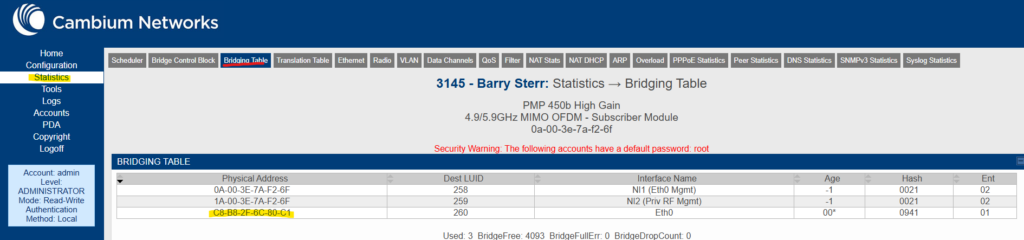
- Many SMs in the BW network were installed in NAT mode, an outdated practice that we want to change as it comes up.
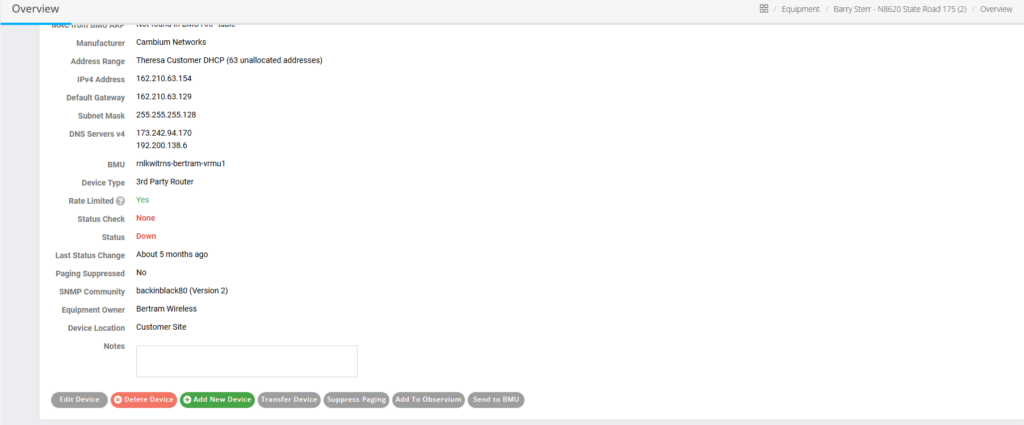
- A radio in NAT mode may be detected by looking at the customer’s equipment in powercode, indicated by the MAC address for their third party router being the same as the SM, except the first number being a “2”

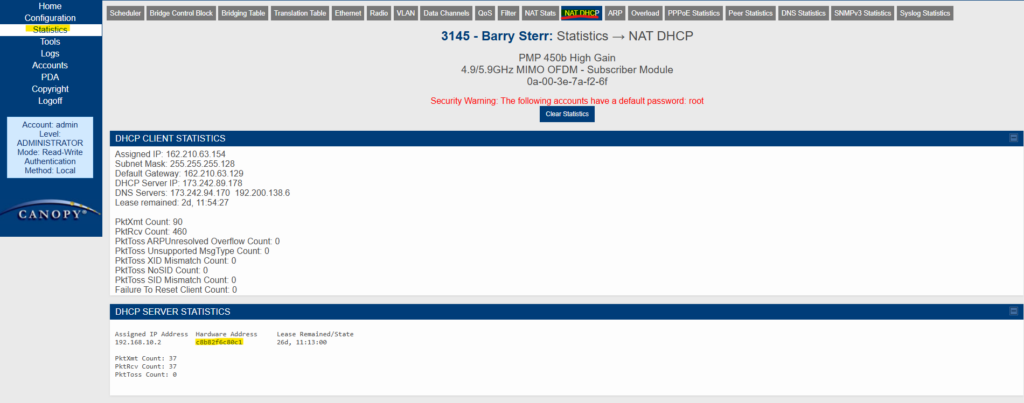
- To fix this, we need to log into the radio and determine the MAC address of the router connected to the SM.
- Found in Statistics -> NAT DHCP
- With this MAC address, return to Powercode go into the “More…” page of the router and click “Edit Device” after scrolling down.
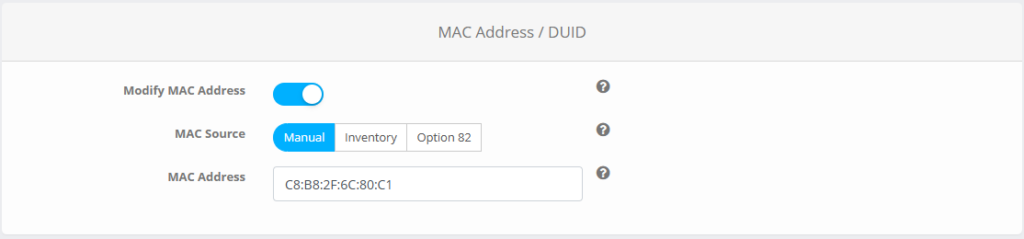
- Toggle the “Modify MAC Address” slider and paste in the new MAC address, making sure the MAC source is set to Manual.
- Then scroll down and hit “Save”
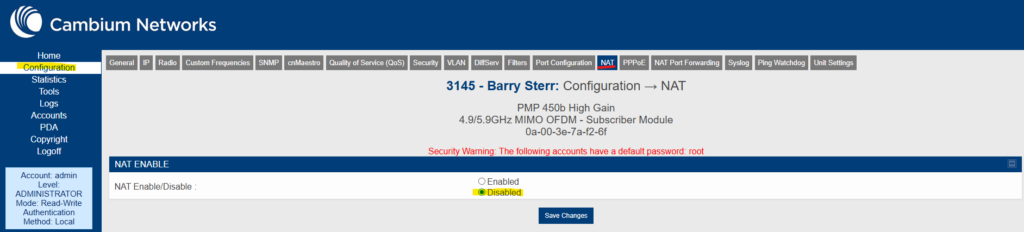
- Once this is done, return to the SM and go to Configuration -> NAT, and disable NAT
- This will require a reboot of the SM
- To confirm that everything has been done properly, go to Statistics -> Bridging Table and ensure that the MAC address of the router matches with what was put into Powercode