
General Information
IMPORTANT FIBER DEPLOYMENT UPDATE: Any DCB customers who get swapped over to Bertram Fiber who have AirRouters MUST replace their AirRouter with a 3rd party router from the store. In addition to not supporting the fiber speeds they are unsecure and NOT SAFE TO USE for any period of time with the fiber deployment. After they switch service to fiber with a 3rd party router they can throw away the AirRouter.
AirRouters are single-band routers that were sold to DCB customers prior to 2018 with a 1 year warranty. They are legacy routers that are considered unsupported and in March of 2021 multiple emails were sent out to customers with these routers that highly recommended that they replace them with a newer dual-band router. They do NOT need to be returned when canceling service or replacing them.
They came in 2 flavors, AirRouter HP (which was most of the routers on DCB) and the standard AirRouter. The difference between them is that the AirRouter HP has a single antenna and gets its power from an additional PoE injector that must be removed when replacing it. The standard AirRouter without an antenna uses a normal AC adapter for power though there are only a handful left on the network..
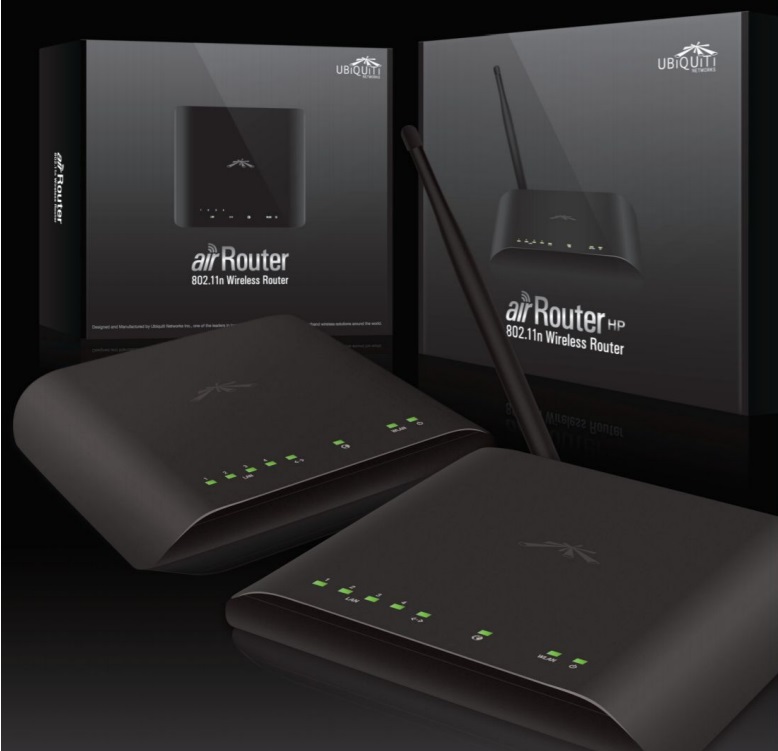
Replacing An AirRouter Instructions
The first recommendation whenever there is a customer with one of these AirRouters is to replace it with a dual-band router. These routers are now a minimum of 6 years old and many are over 10 years old at this point. As these are single-band they do not offer the flexibility of having both a 2.4 and 5GHz WiFi signal and they are no longer considered secure.
Here is the Replacing an AirRouter HP pdf that we send to customers when replacing them to ensure they remove that extra PoE injector.
Since AirRouters are no longer supported the following information is primarily for instructional purposes only.
Login
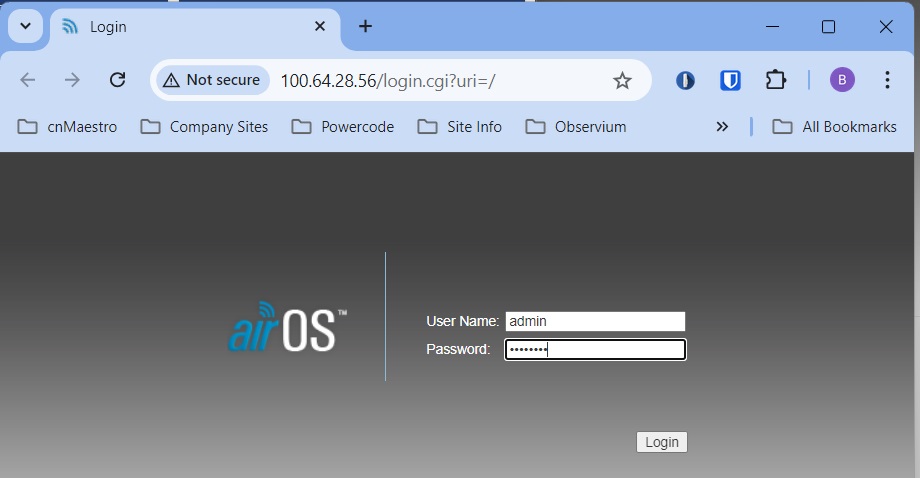
Same as any other DCB router. admin/(RADIUS Password). If that doesn’t work you can try admin/PassPass or admin/passpass but it is likely to be permanently inaccessible to us.
Main Page
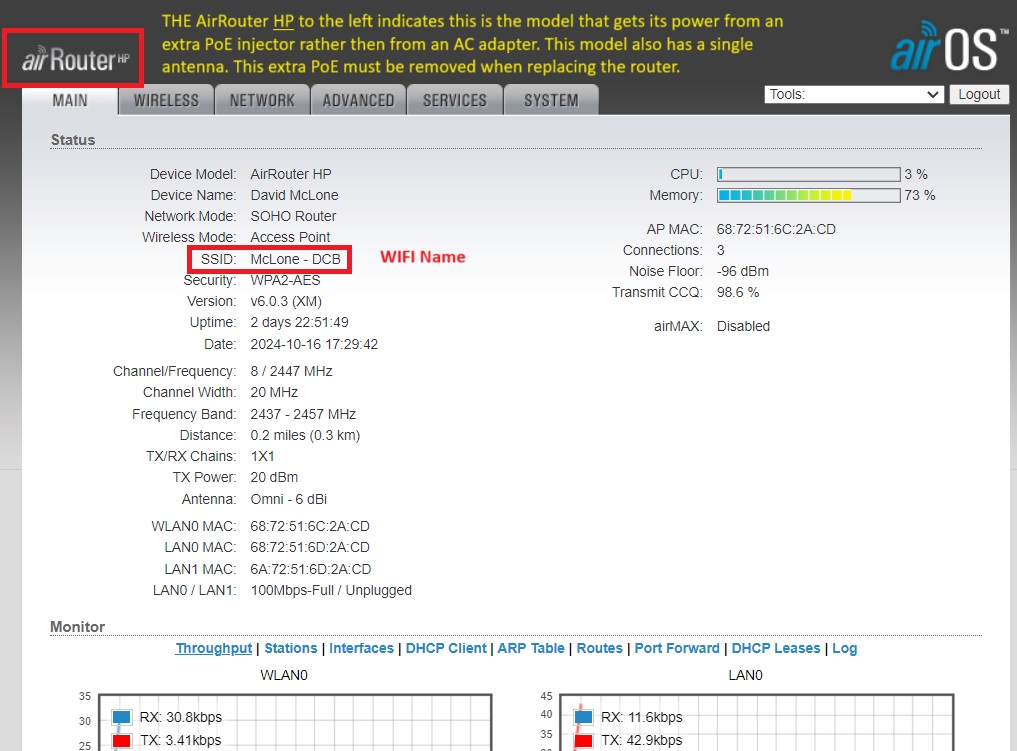
After logging into the router, if the logo in the upper left corner shows “airRouter HP” it is the model with the extra PoE injector. If it only shows “airRouter” it is the model without an extra PoE injector.
The Wifi name will be on the main screen. Note that there is no 2G & 5G WiFi since the AirRouters are single-band.
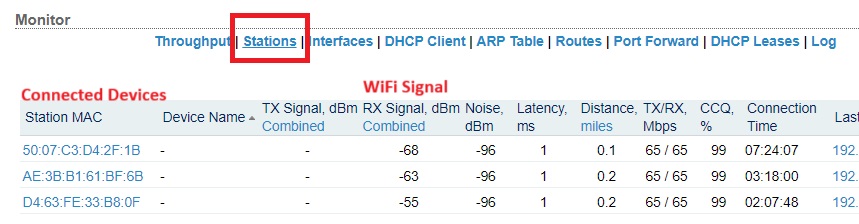
Connected Devices & WiFi Signal
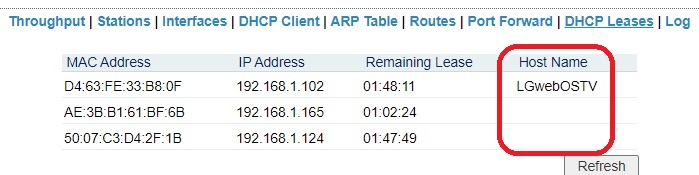
If you click on Stations you will see the connected devices and WiFi signal strength. To see the Device Name you will usually have to click on DHCP Leases
WiFi Password & 2.4 WiFi
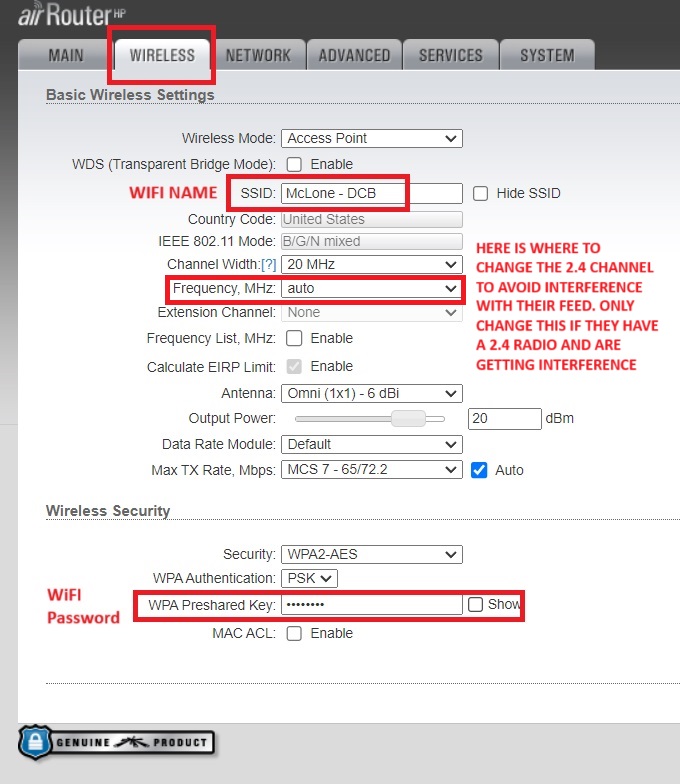
As a rule we do not change wifi names and passwords on AirRouters since they are considered unsupported and we usually tell customers we can no longer access them. In extenuating circumstances you can look at what the wifi password is by selecting the “Show” button next to the WPA Preshared Key to display the password and tell the customer that “Based on our old records your wifi password may be ______”
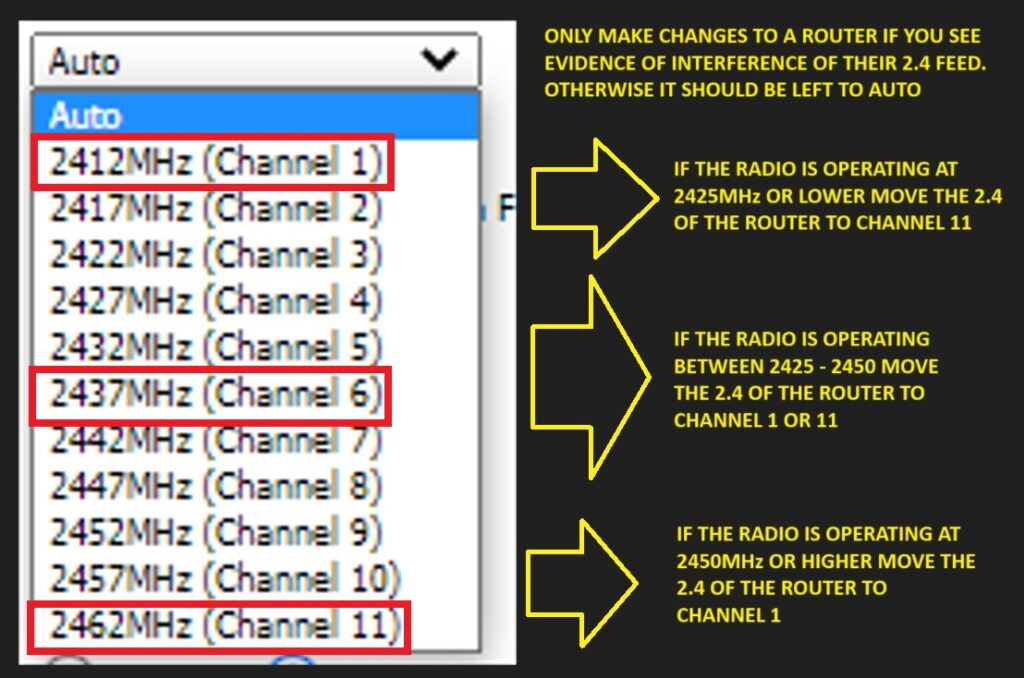
If the customer is getting their internet via a 2.4 radio and you see evidence that their router’s WiFi is interfering with their feed you can change the Frequency that the WiFi is operating on from auto to a specific channel. Use the chart below to determine what channel to move it to.
WiFi Scan
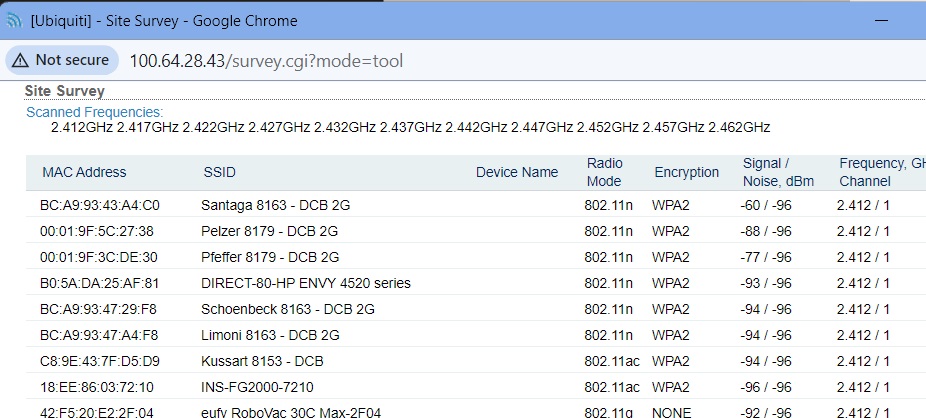
It is sometimes necessary to do a WiFi scan to look for evidence of interference from neighboring routers or access points. Especially in MDU (Multi-Dwelling Unit) situations such as apartment complexes or condominiums this interference can be considerable and is why we especially recommend connecting to 5GHz WiFi (which is not available on the single-band AirRouters). To perform a 2.4 WiFI Scan on an AirRouter select “Site Survey” from the Tools menu. This will perform a scan to show any neighboring WiFi networks it can see – including from wireless extenders – which might contribute to localized interference.
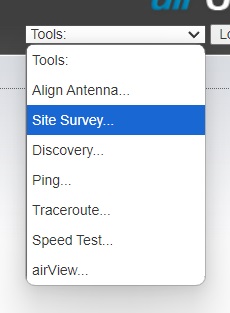
In the scan below we see multiple neighbor’s wifi networks along with someone’s HP printer all operating on the 2.4 wifi. Any SSIDs that say EXT would indicate they are a wireless extender hooked into another router.
Other Information
If the SSID on an AirRouter is broadcasting a profanity (motherf*****) that is a symptom of an exploit from the late 2010s (and has likely been that way since then).
AirRouters were set up with a ping watchdog which would cause them to reboot roughly every 19 minutes if they couldn’t get out to a specific IP address. While mitigations are in place this does sometimes crop up.
If transferring service we will NOT make changes to an AirRouter and the new customer MUST replace the AIrRouter with a 3rd party router.
The mitigations that are in place on DCB’s network to prevent these Legacy AirRouters from getting infected do not exist on Bertram. If a DCB customer is switching to Bertram either due to switching towers or getting hooked up to fiber in Door County they can NOT hook up the AirRouter to the network or they WILL be vulnerable.