
Service is offered at the following Boulder Canyon, Red Rock, Still Creek MDU, Newtowne Square, Sun Valley
MDU’s are pre-wired in most cases for locations that are shown on the MDU maps. If customer can find the cabling in their unit they will not need a installation to activate service and can be done over the phone, however we will need to find their address on the shared Mikrotik NID and get the MAC address of their router added to the account in order for them to get a connection (unlike Bertram, Optic Loop fiber customers are not option 82).
The following maps are also necessary when troubleshooting existing customers in order to find their shared NID when the NID does not appear on their account. First you would need to check the fiber map associated with their Network Location in Powercode to find the NID associated with their building under the site’s Associated Equipment.
Maps
Boulder Canyon / Red Rock/ Sun Valley Map
Example Account OpticLoop (#3341Jodie Buttars)
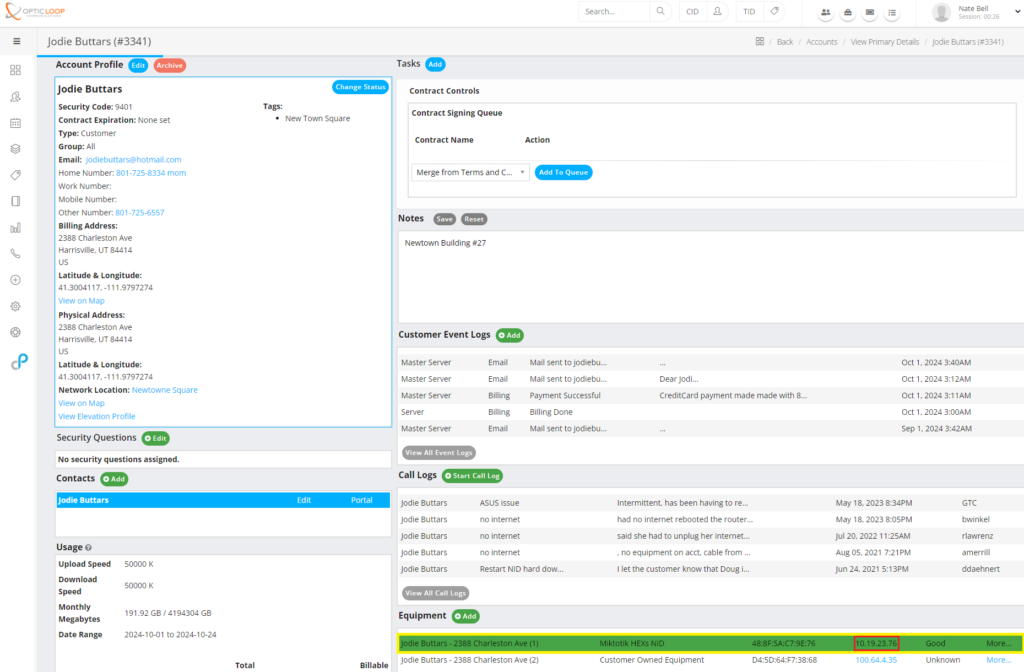
Customer has a HEXs NID
Checking NID Status
-Look at device in Powercode (if green device is up)
-Log into a MDU NID for more troubleshooting information. You can access the NID via your browser.
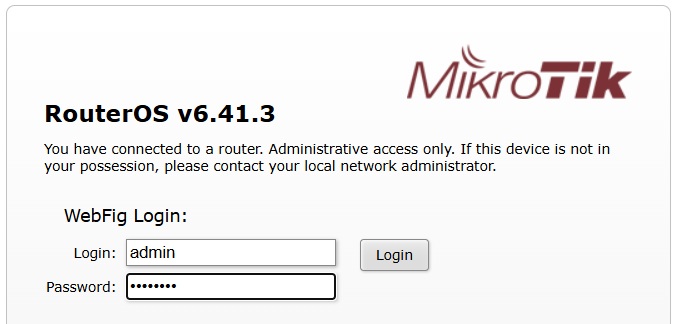
Username:admin
Pwd: kara!@@%
or
Username:bwuser
Pwd:plut0
Checking Ethernet Link On the Customer Interface
(Interface Statistics)

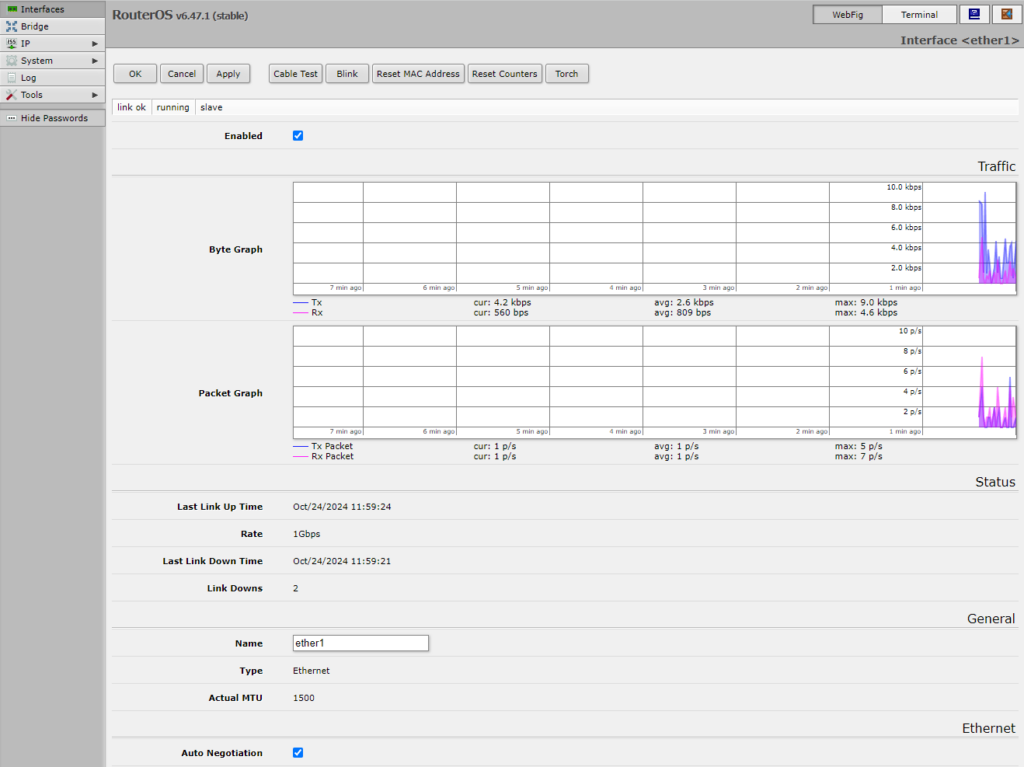
Important Items:
Byte Graph: This shows in real time the traffic on the port
Rate: Is there ethernet link speed. (1Gbps or 100 Mbit is typical)
Last Link Up Time: Shows the last time the ethernet link was established to the customer device
Link Down: How many times the link has dropped. This number can represent a router or cable issue if it is high (this number will be relative to uptime)
Tx/Rx Errors:
This shows if there are ethernet errors on the port (should be near zero – would indicate a cable or customer device issue)
TX FCS Error:
Indicates errors on the ethernet port. (should be near zero – would indicate a cable or customer device issue)
Bridge Table:
Use this to find the customers MAC address

Once logged to the device go to “Bridge” and sort by interface, you will see MAC addresses of the customers device on the “EtherX” interface. The mac address of the customer device will appear on the interface the customer is connected to. At times you will see an additional MAC address on the interface that is one of the NID interfaces.
Power Complications:
These devices receive power in various ways
Boulder Canyon/ Sun Valley / Red Rock are powered directly from common HOA power.
Newtowne Square devices are powered by POE from one unit. In some cases the port in the NID is labeled for which account is providing the power.
Still Creek devices are powered by POE from one unit. In some cases the port in the NID is labeled what account is providing the power.